

Prerequisites
- At least one source of findings: CloudKeepers, an assessment, or
#recommendresults from an agent conversation. - Optional: approval reviewers set up if changes require sign-off before execution.
Save and execute recommendations
Findings start as drafts in their source views — they appear in Plan only after you save them.1
Open Plan
Go to Plan to see all saved recommendations ready for execution.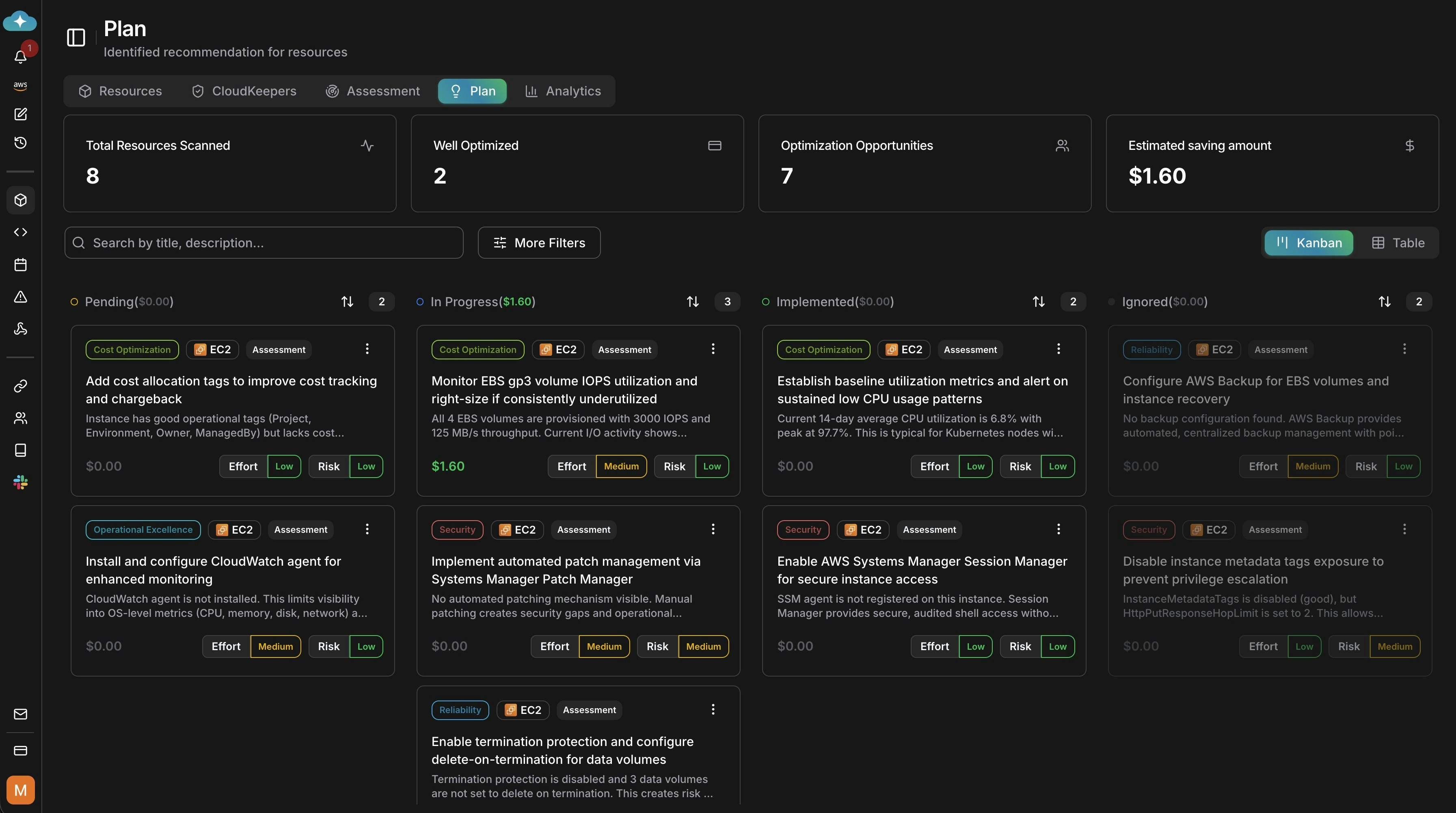
2
Save findings to Plan
Open any draft finding from Keepers, an assessment, or
#recommend conversation results and choose Save to Plan. Saved items become available for approvals, scheduling, and execution. Unsaved drafts remain in their source views.3
Filter recommendations (optional)
Use More Filters to scope by resource name, pillar, service, assessment, or source. This helps focus the rollout before approvals and scheduling.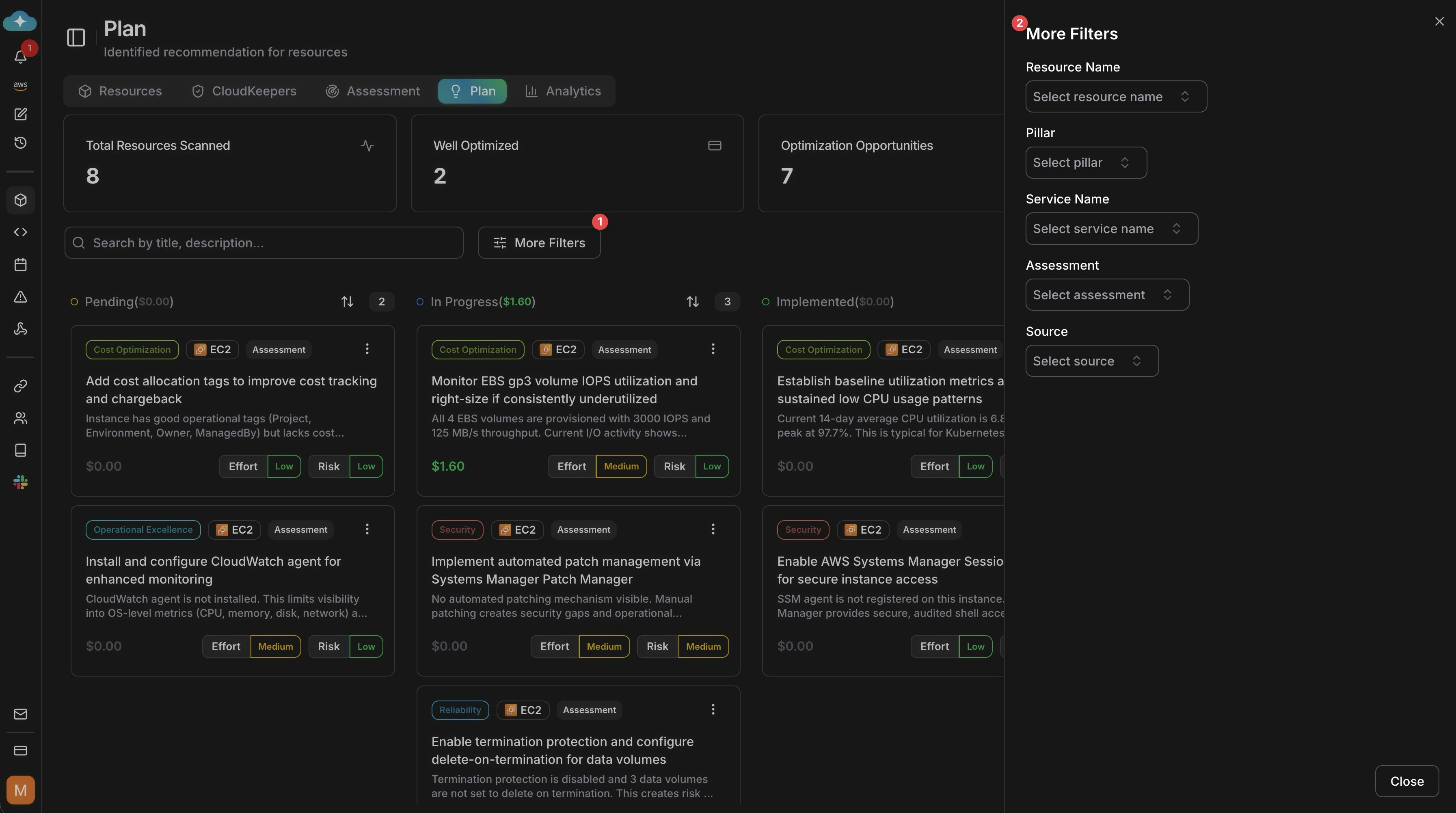
4
View recommendation details
Open a recommendation to review impact analysis, savings, risk notes, and implementation guidance before deciding what to run.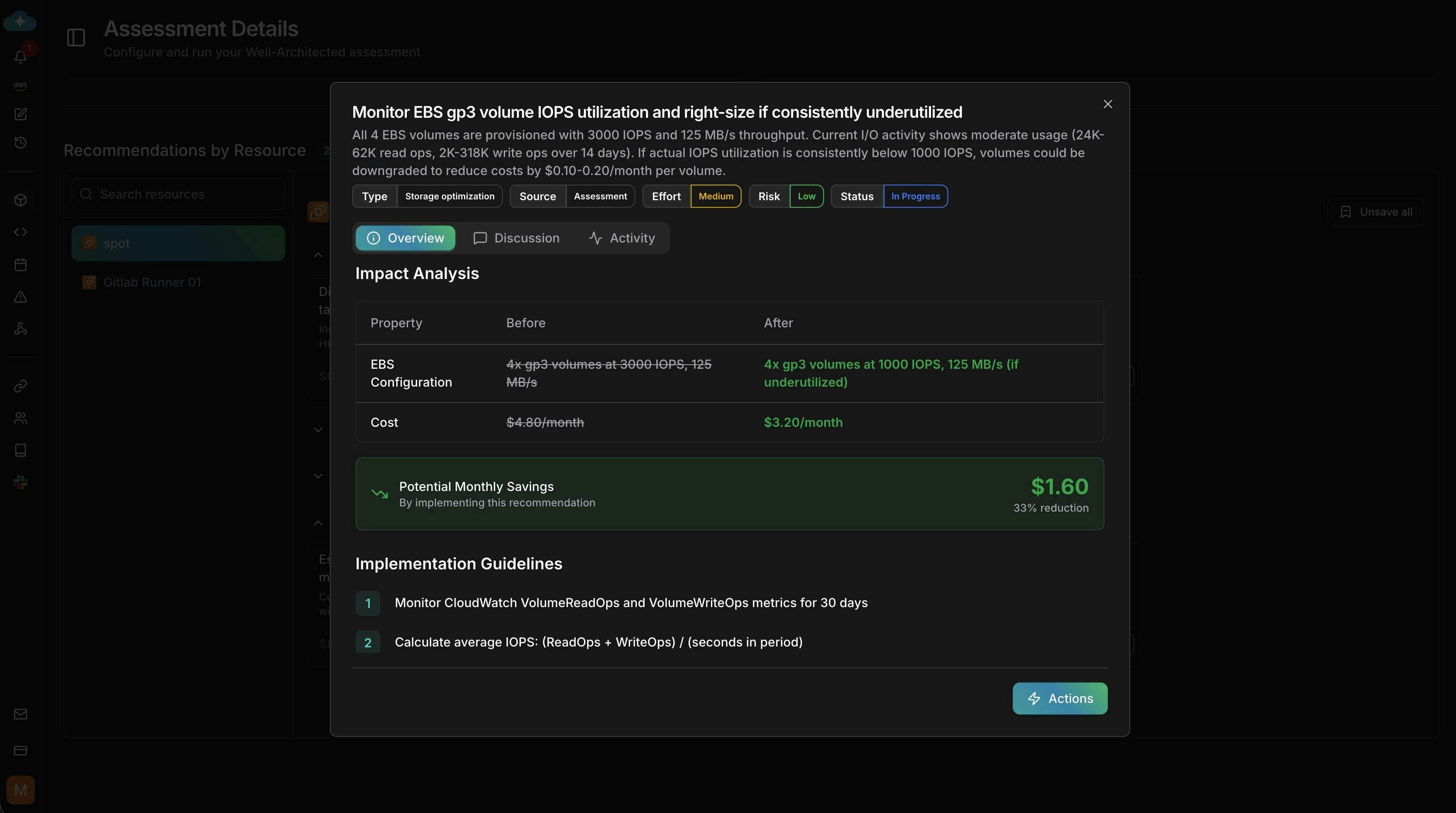
5
Take action
Choose how to proceed: run impact analytics, generate guidelines, ask a custom prompt, request approval, or implement directly.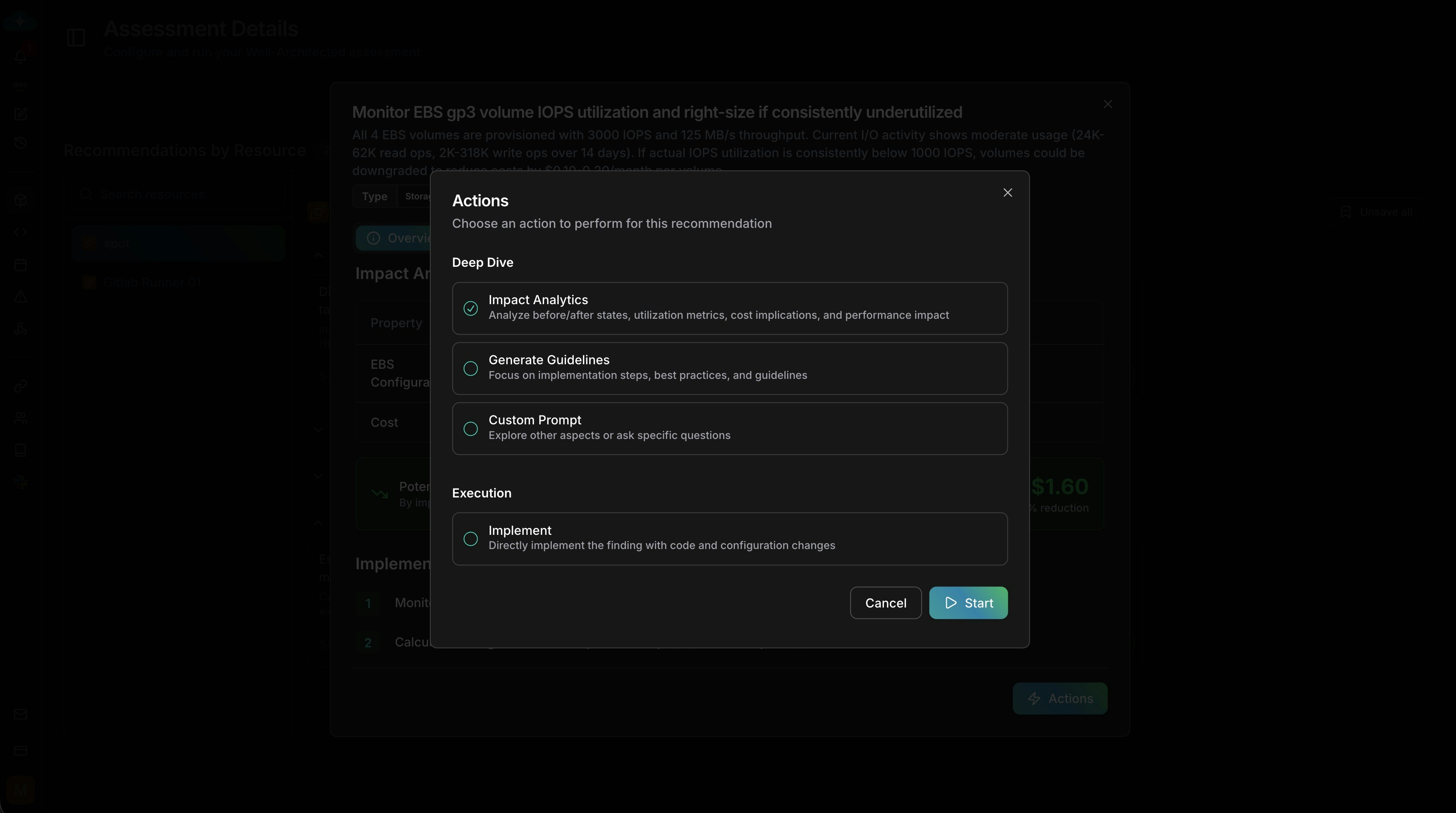
Next steps
Assessment
Run Well-Architected assessments that feed remediation findings into Plan
Keepers
Enable continuous monitors that detect drift and generate findings
Cost recommendations
Look up recommendation attributes, sources, and categories