

Prerequisites
- A GitHub, GitLab, Bitbucket, Azure DevOps, or AWS CodeCommit account with repository access
- Permission to install apps, create access tokens, or create IAM roles for your organization
- A CloudThinker workspace
Connect a repository
1
Open Review
Go to Review from the navigation menu.
2
Start setup
Click Get Started with Review to open the setup wizard.
3
Choose provider
Select GitHub, GitLab, Bitbucket, Azure DevOps, or AWS CodeCommit as your Git provider.
4
Authenticate
Each provider has its own authentication flow — GitHub installs an app, GitLab and Bitbucket offer OAuth or access tokens, Azure DevOps uses a personal access token, and AWS CodeCommit uses an IAM role or access key.Follow Provider authentication for step-by-step instructions for your provider.
GitLab, Azure DevOps, and AWS CodeCommit also require a manual webhook step. GitHub and Bitbucket register webhooks automatically.
5
Select repositories
Select the repositories you want to enable for code review and click Complete to finish setup.After setup, open Review settings to adjust the workspace-wide review mode and Pipeline Analysis, then configure auto-review and filters per repository.Success state: Your repositories appear in the Review dashboard — CloudThinker is now monitoring their pull requests and merge requests.
Create a pull request
1
Open your repository
Navigate to your connected repository on your Git provider.
2
Create a pull request
Create a new pull request with your code changes. CloudThinker detects the PR, analyzes the diff, and posts a summary comment plus inline comments — typically within 1–2 minutes, no manual trigger needed.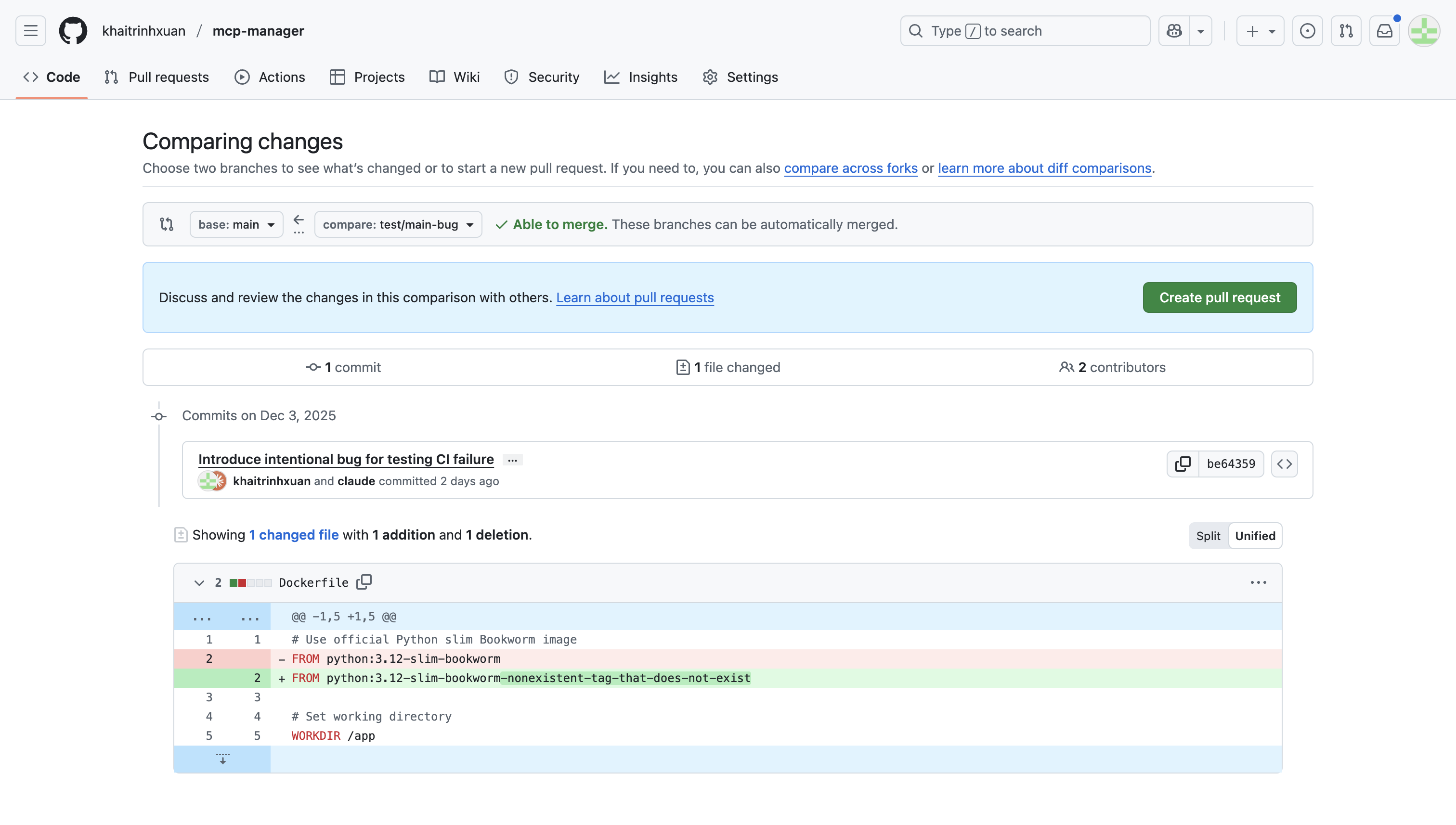
Review the findings
1
Check status in CloudThinker
View the review status for all your pull requests in the CloudThinker dashboard.
2
View findings on your Git provider
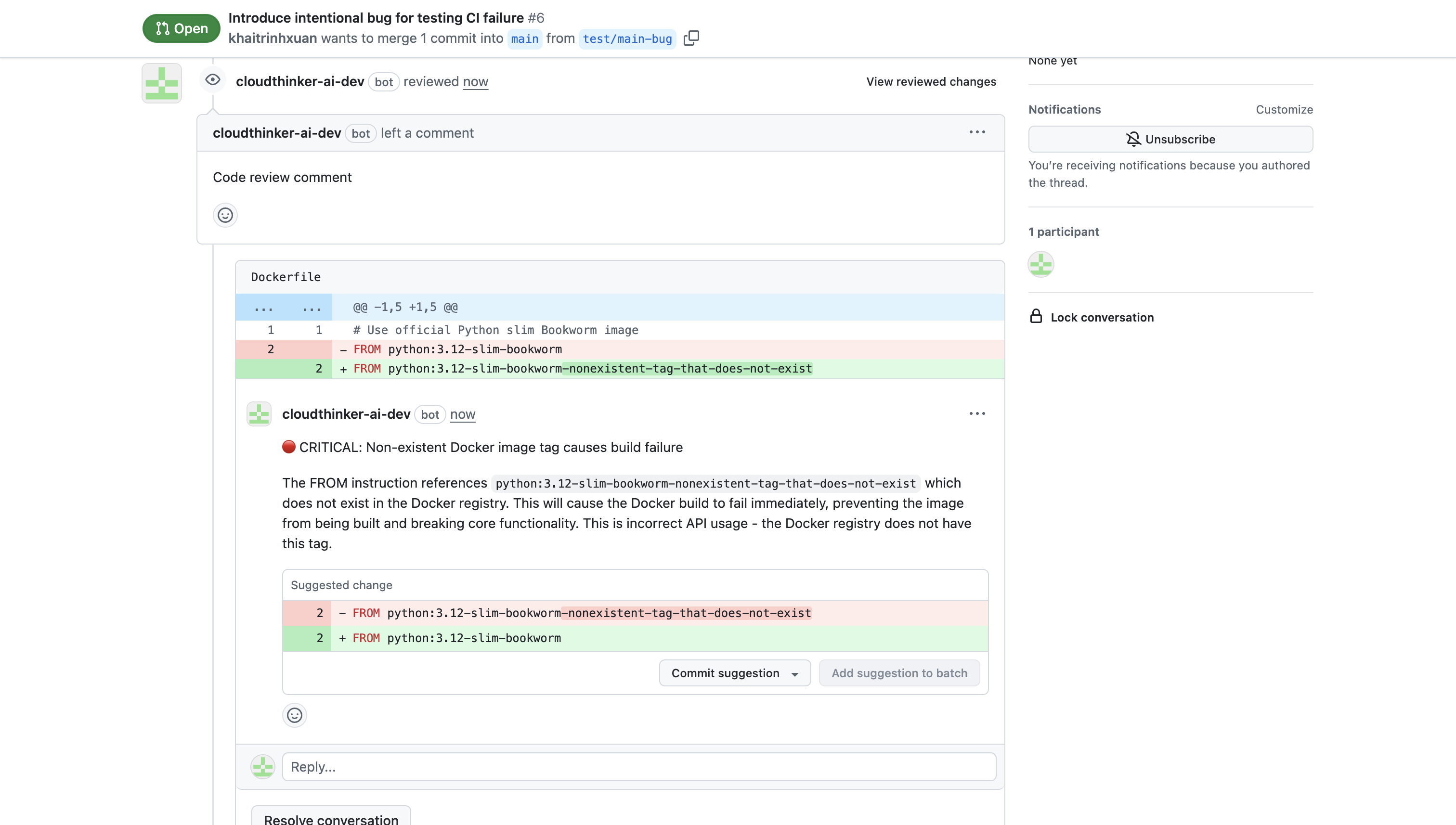
Open your pull request to see the AI-generated summary and inline code comments. Each comment includes a severity level (Critical, High, Medium, Low), an explanation of the issue, and a suggested fix.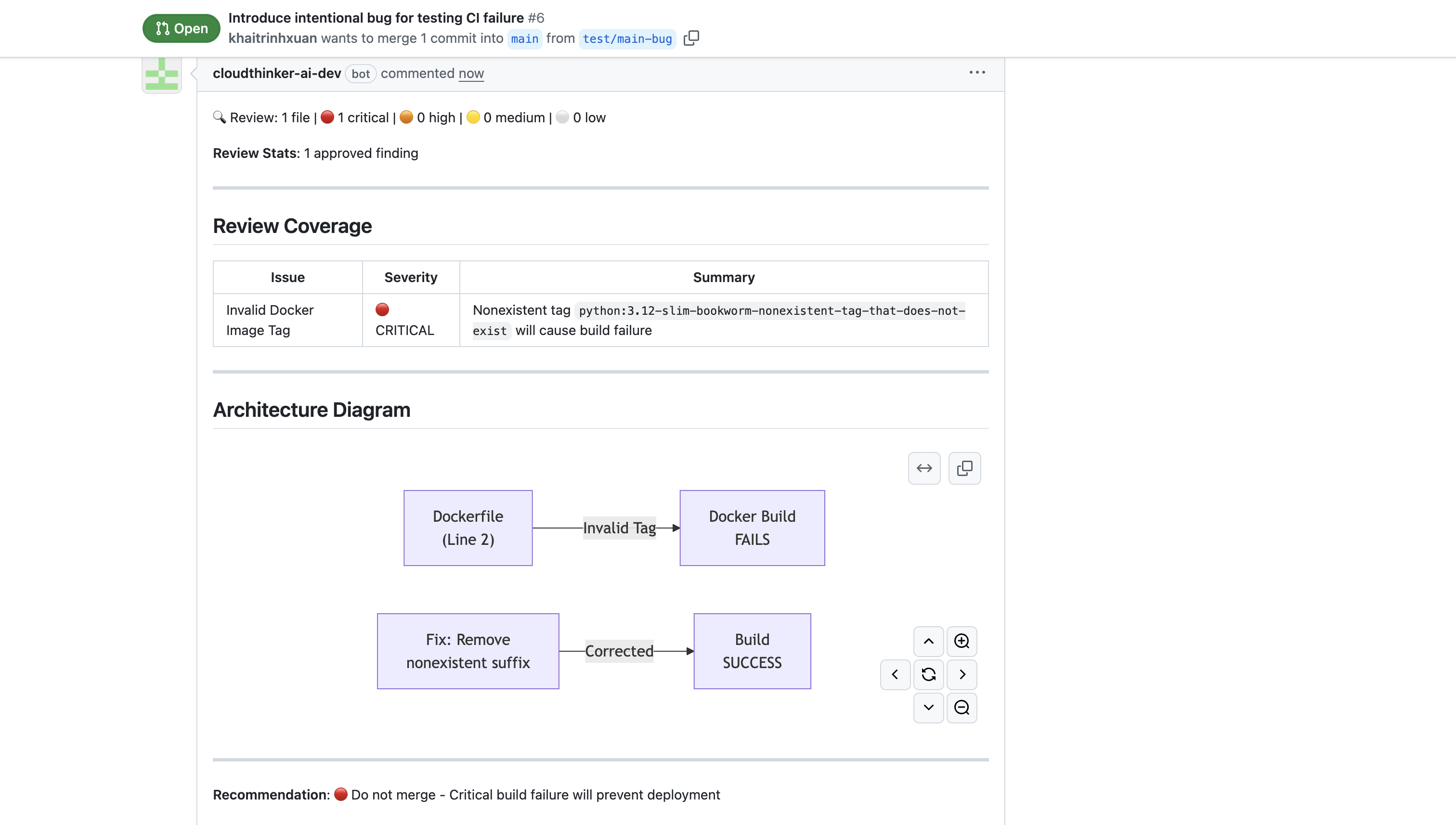
@cloudthinker-ai on the PR to ask questions, request a re-review, or apply fixes — and skip reviews entirely for a PR when you need to. See mention commands.Review modes
Configure the workspace-wide review mode in Review settings. It applies to every connected repository:Pipeline monitoring
CloudThinker monitors your CI/CD pipelines for failures. When a pipeline fails, CloudThinker:- Detects the failed pipeline run
- Fetches and analyzes the failed job logs
- Posts findings and suggested fixes directly on the PR
build.complete events alongside pull request events (git.pullrequest.created, git.pullrequest.updated).
Filter configuration
Control which PRs and MRs CloudThinker reviews using per-repository filters:- Label filters: Include or exclude PRs with specific labels
- Author filters: Include or exclude specific authors (useful for excluding bot authors)
- Branch filters: Include or exclude branches matching specific patterns (filters by target branch — the branch being merged into)
Incremental reviews
When you push new commits to an open PR, CloudThinker performs an incremental review — only the new changes are analyzed, not the entire PR. This keeps reviews fast and focused on what actually changed.Next steps
Provider authentication
Detailed authentication and webhook steps for every supported Git provider
Mention commands
Interact with the review bot from PR comments — re-review, ask questions, or skip a review
Review Insights
See which finding domains affect your reviewed merge requests
Learnings
Teach reviews your team’s coding conventions using files already in your repository