

Assessments are available on the Scale plan and above.
Prerequisites
- A cloud connection with the permissions your agents need to read the resources you want to assess.
- Resources already discovered in CloudThinker — assessments only evaluate discovered resources.
- Optional: tag or resource filters ready if you want to scope the run.
Create an assessment
1
Open Assessment and start a run
Go to Assessment and click Create Assessment.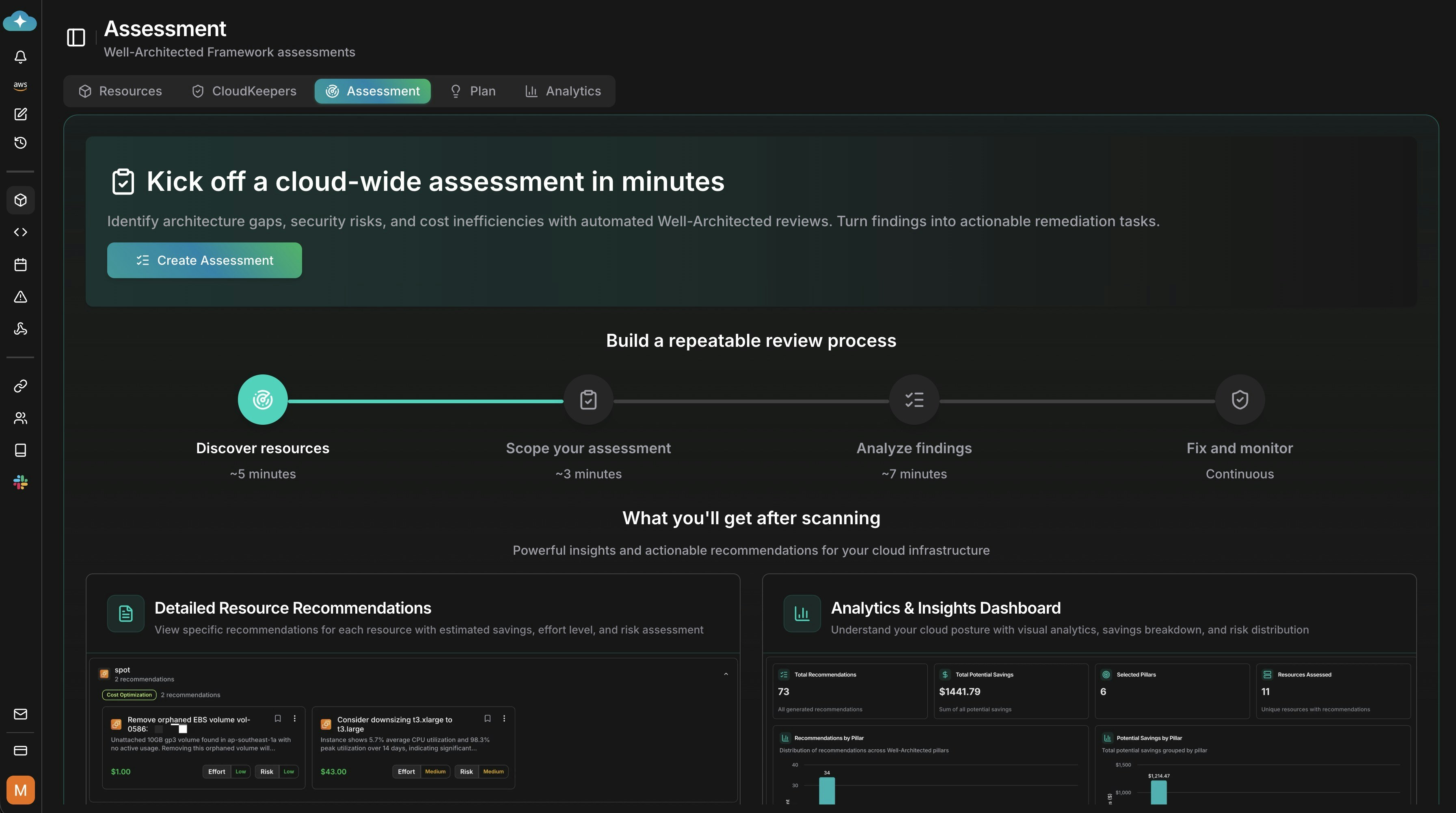
2
Name your assessment
Enter a clear name and optional description, then choose Create.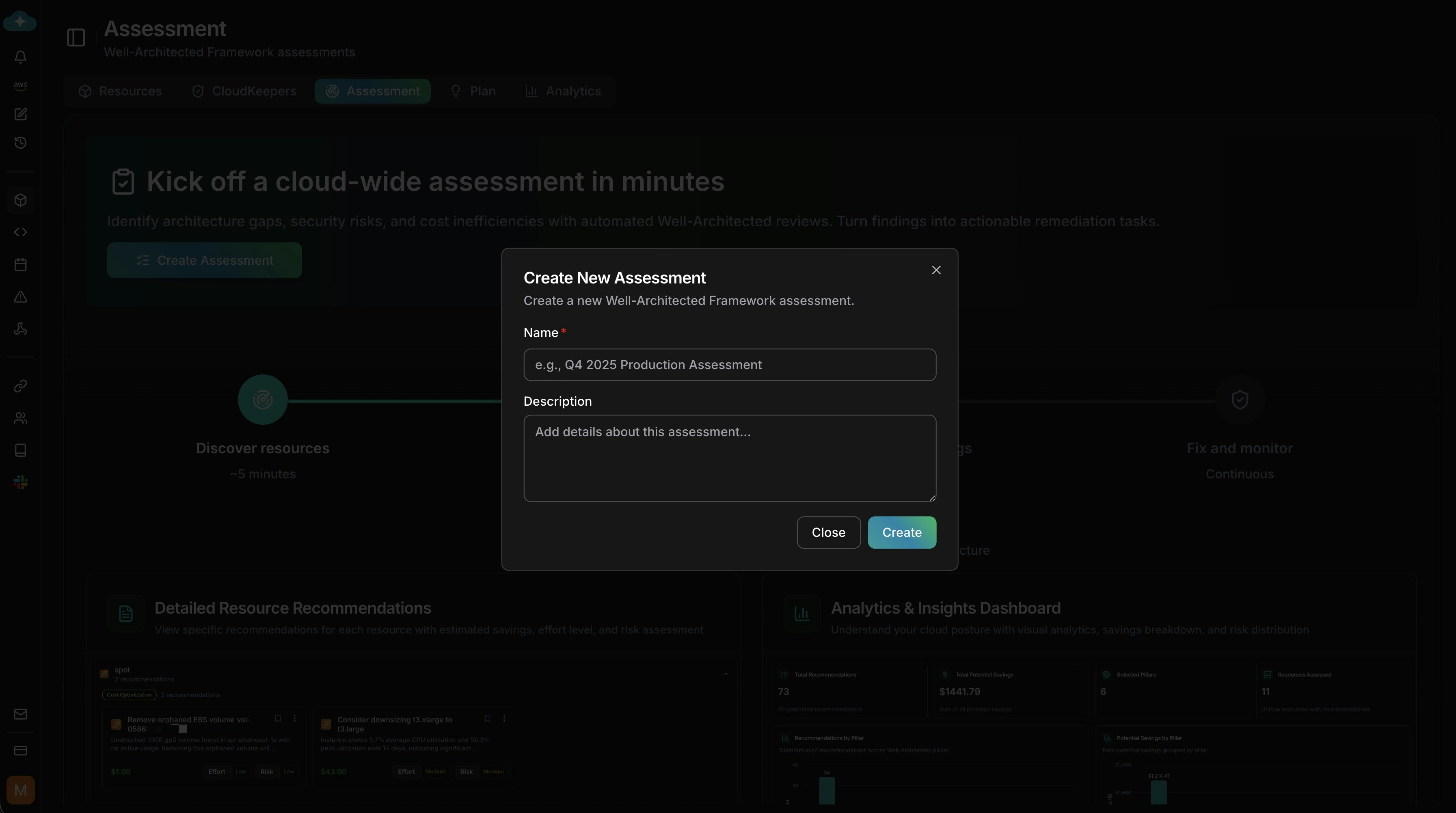
3
Find your draft
Your new assessment appears in the list with status Pending. Click Run assessment to configure it.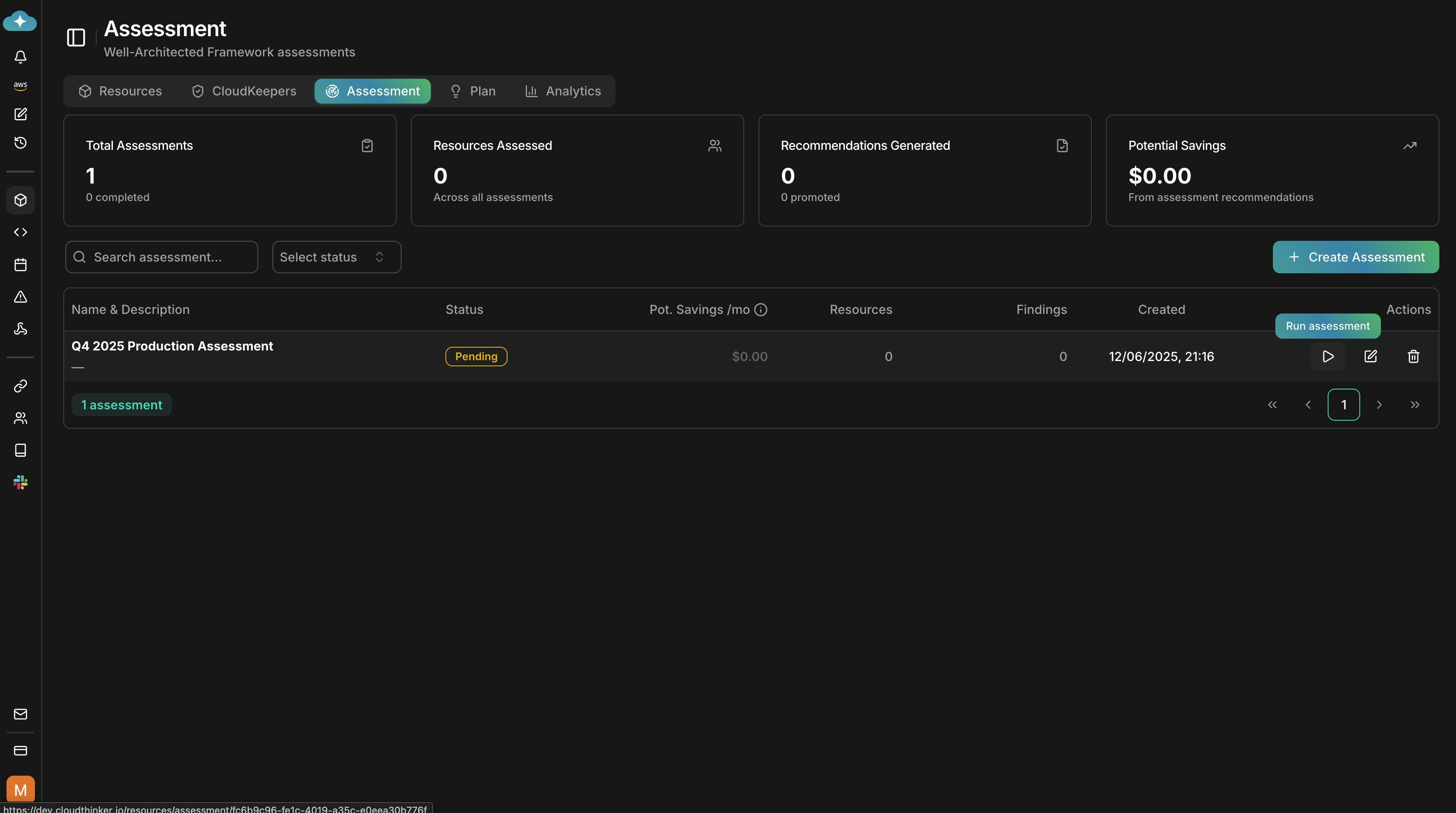
Configure and run the assessment
1
Select Well-Architected pillars
Pick the pillars to evaluate: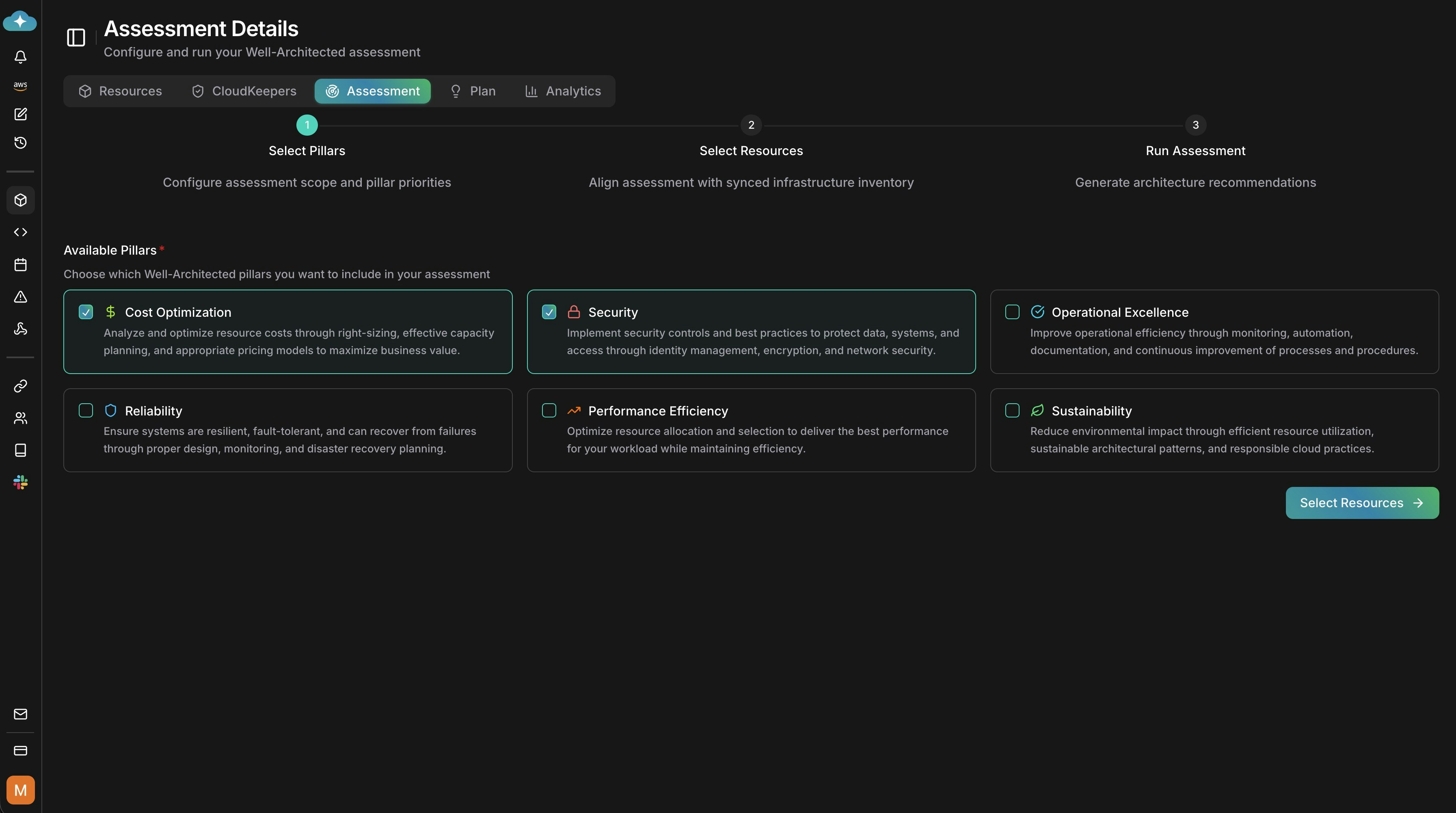
2
Select resources to assess
Choose the discovered resources to include. Scope to categories or specific resources — filter by service type, tags (for example 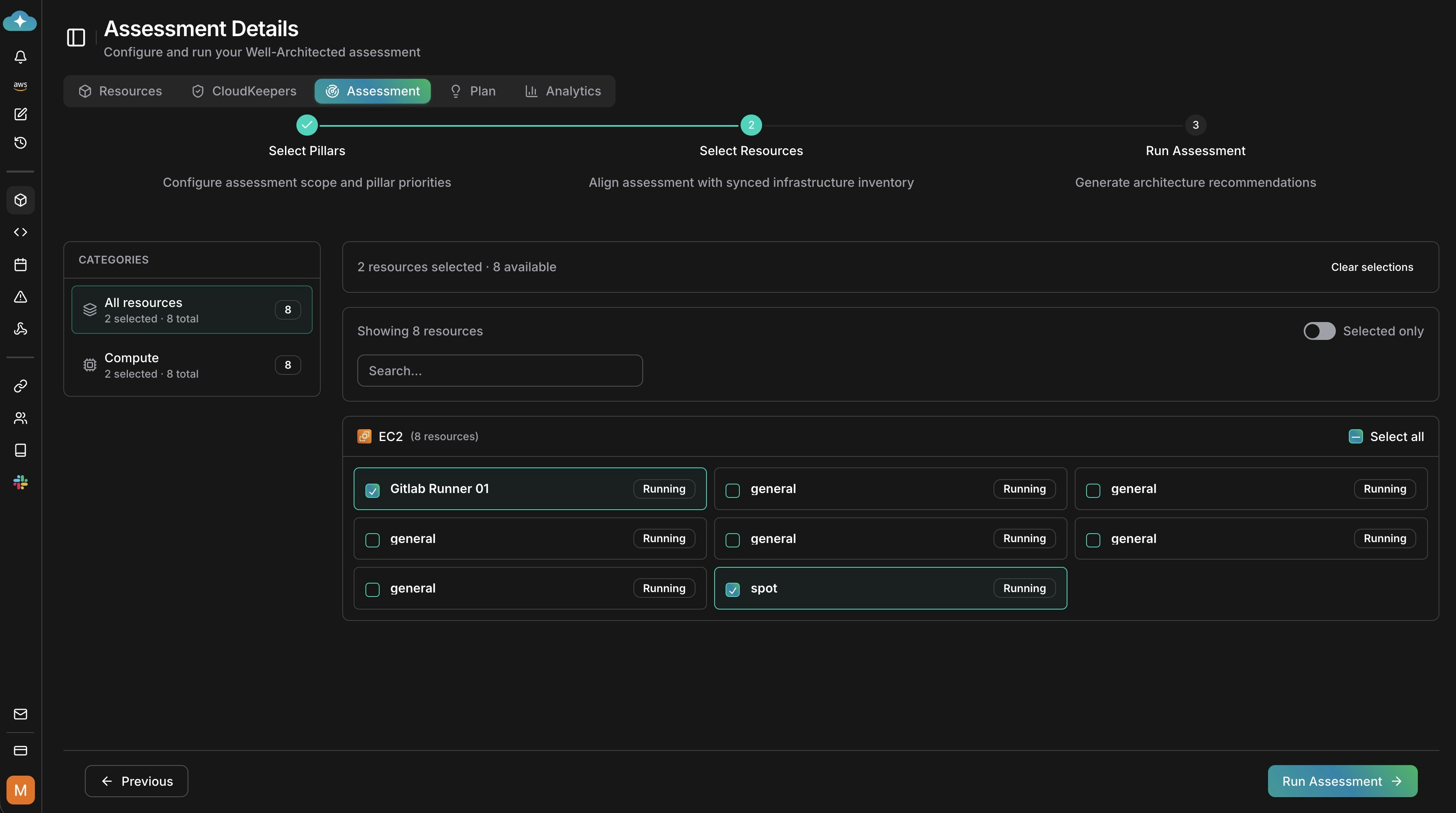
Environment: production), or region, and use Select All on a filtered list. Only discovered resources are assessable.3
Review and start
Confirm pillars and selected resources, then click Start Assessment. A progress indicator shows resources as agents collect configuration, analyze usage patterns, and evaluate each pillar’s best practices.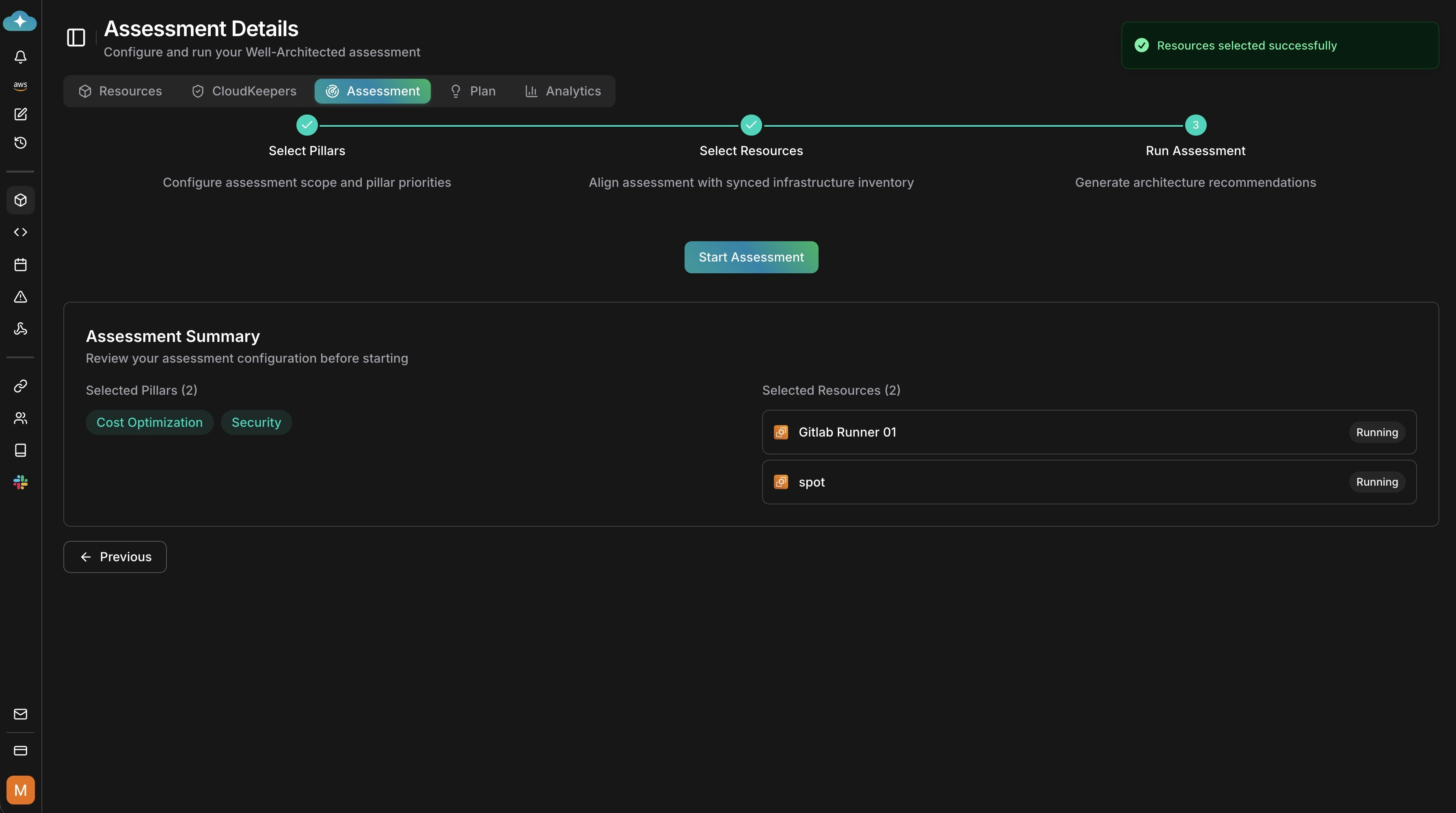
Review results and take action
1
View analytics and findings
After the run, review analytics for findings by pillar, severity breakdown, potential savings, and scope. Multi-resource runs also surface the top affected resources and systemic patterns, such as widespread over-provisioning.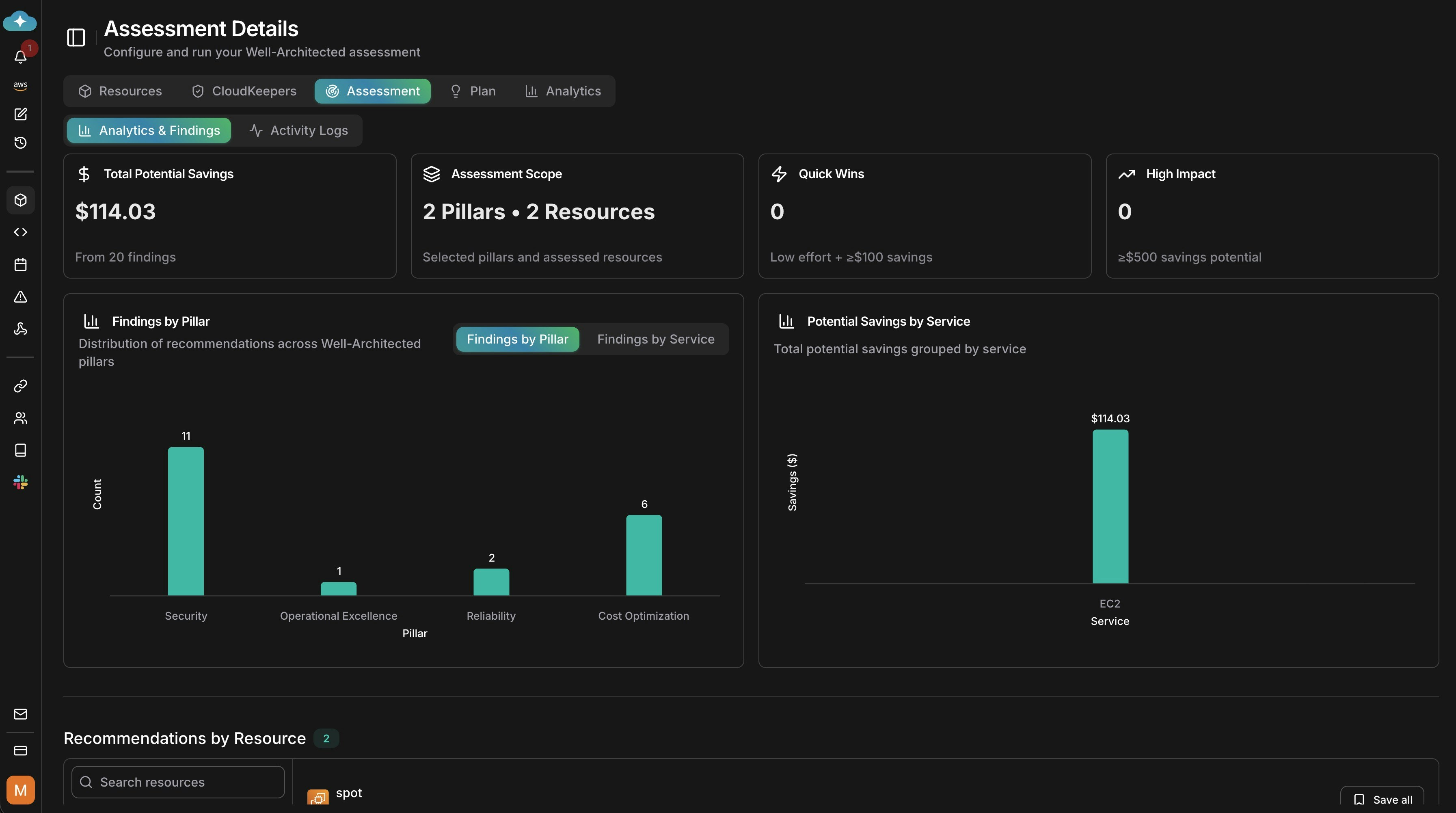
2
Drill into recommendations
Expand recommendations by resource to see effort, risk, and remediation details. Sort by potential savings, severity, or effort to prioritize — fixing one systemic issue can resolve findings across many resources.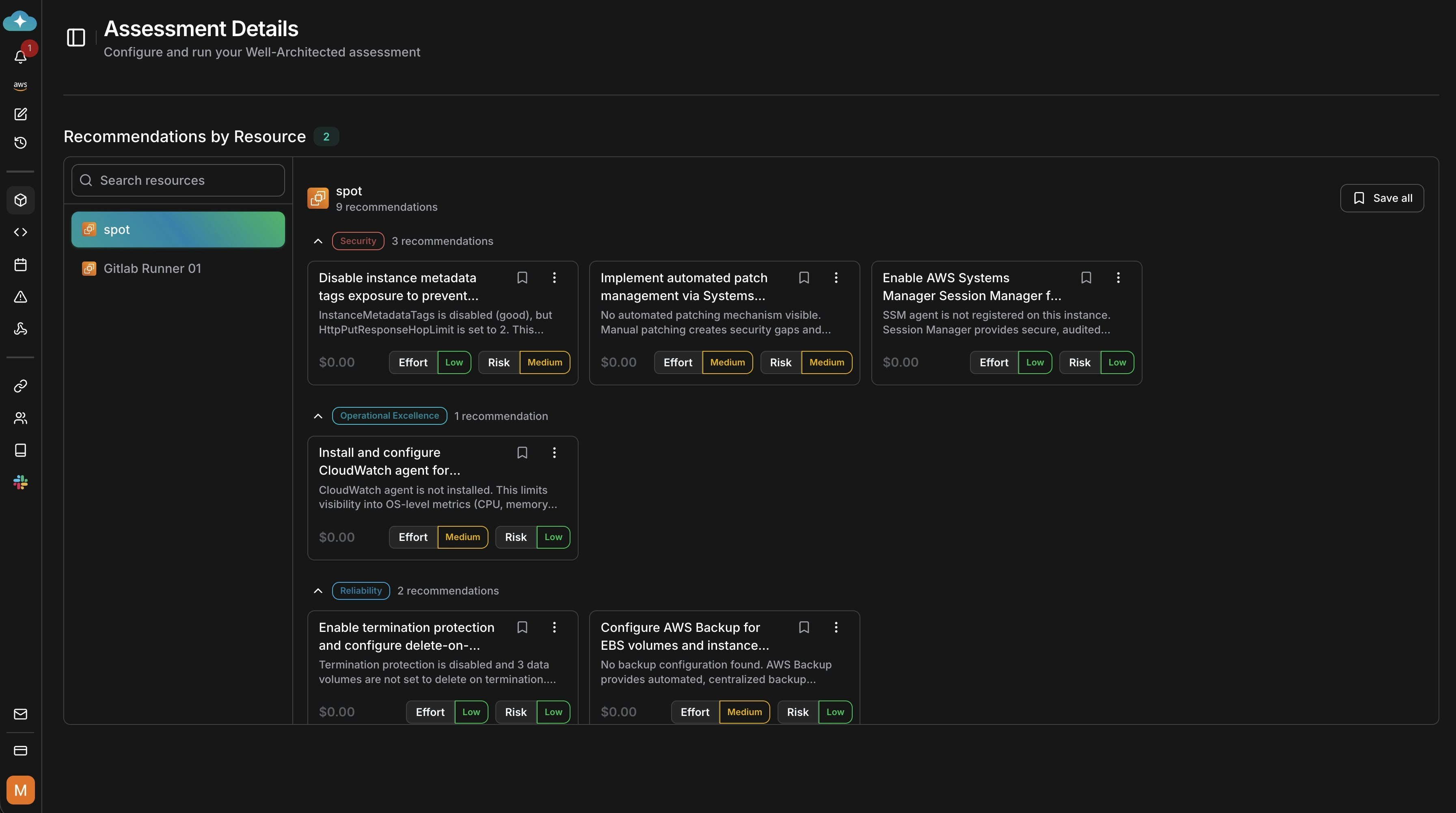
3
Open recommendation details
Click a recommendation to view impact analysis, savings, and implementation guidelines.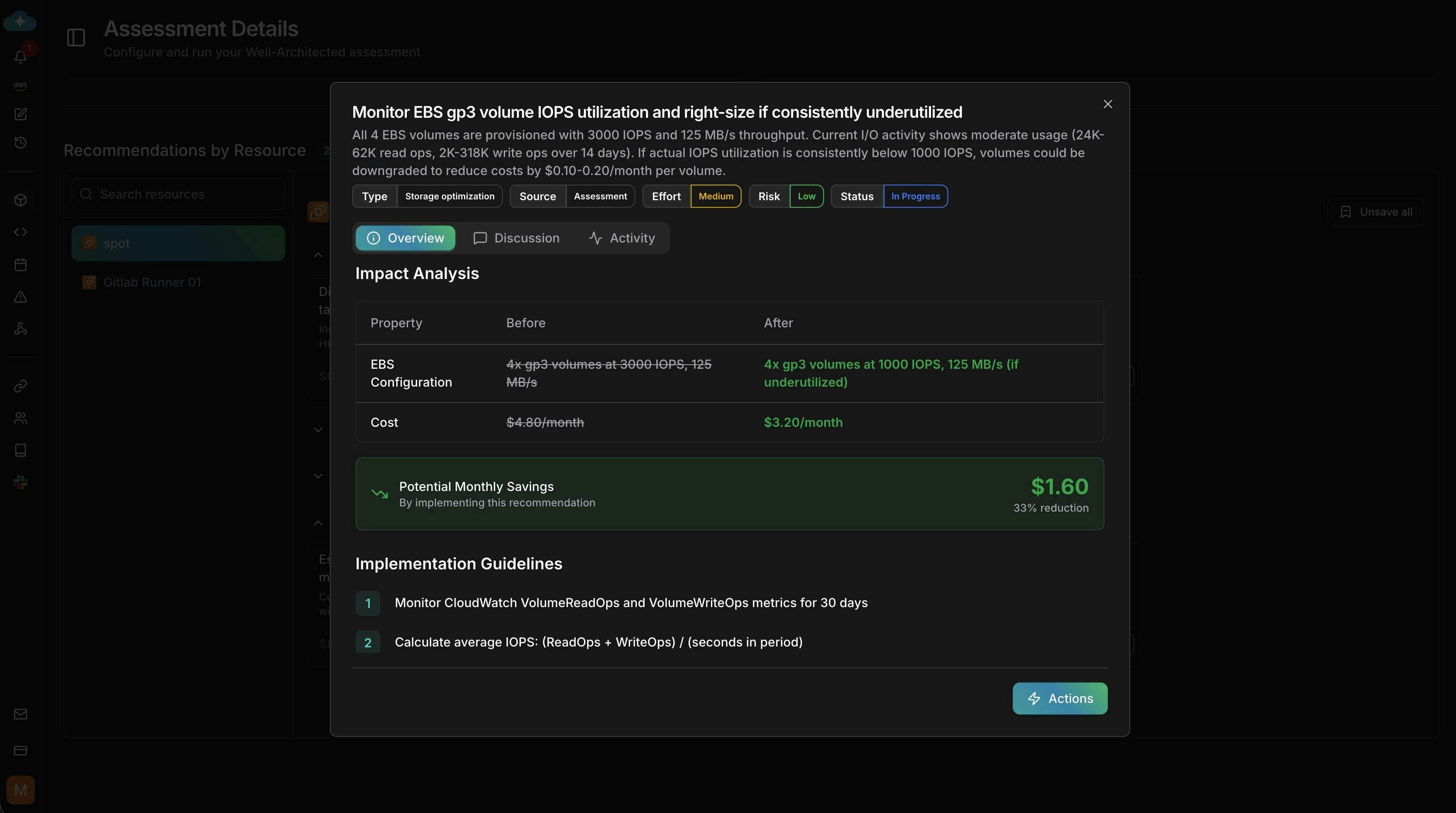
4
Take action
Choose how to proceed: run Impact Analytics to project the change before you make it, generate implementation guidelines, ask a custom prompt, or implement directly with agent assistance. Click Start to launch the action.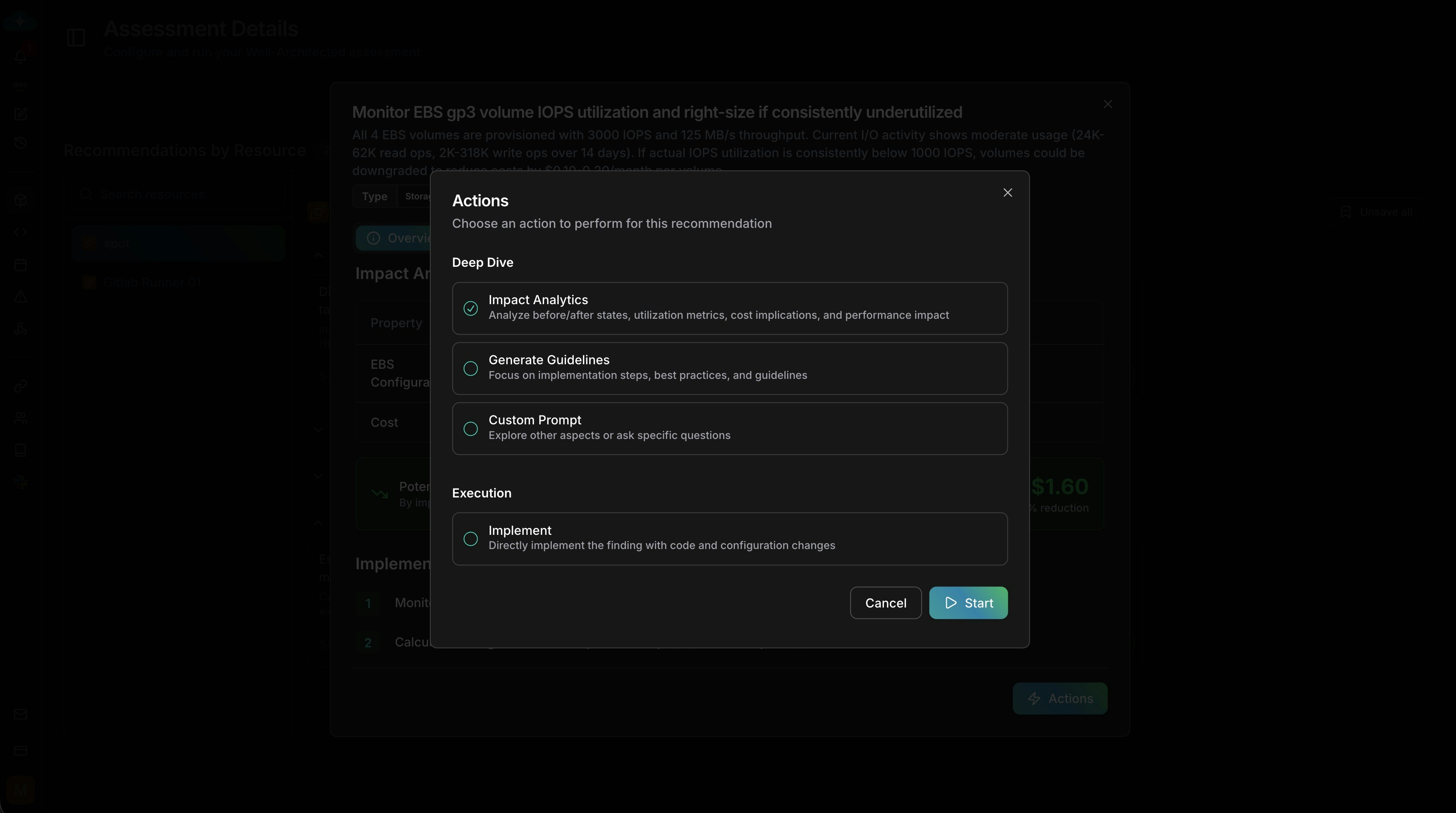
Recommendations are drafted by default — save them to make them appear on the
Plan page, where you assign priority and track implementation over time.
Run your first assessment: one resource, one pillar
For your first run, scope to a single resource and a single pillar to learn the workflow before scaling up. Good first candidates:- An EC2 instance running a production workload
- An RDS database you suspect is over-provisioned
- An S3 bucket with unknown access patterns
Next steps
Plan
Save assessment findings to Plan to track implementation and ROI
CloudKeepers
Set up daily guardrails to maintain the standards your assessment identified
Resources
Discover additional resources to include in your next assessment run
CostOps
Deep-dive into cost findings from the Cost Optimization pillar