

How it works
- Discover — Resources scans your connected AWS and GCP accounts and keeps a live inventory of compute, storage, database, and network assets.
- Map — Topology syncs Resource nodes from that inventory. You or the topology agent add relationships inside a topology view.
- Assess — Assessment runs an automated Well-Architected review across all six pillars and produces prioritized findings with implementation steps.
- Analyze — Analytics shows a cost overview, high-consuming services, and recommendations.
- Act — Plan is the recommendation board for actions and status tracking.
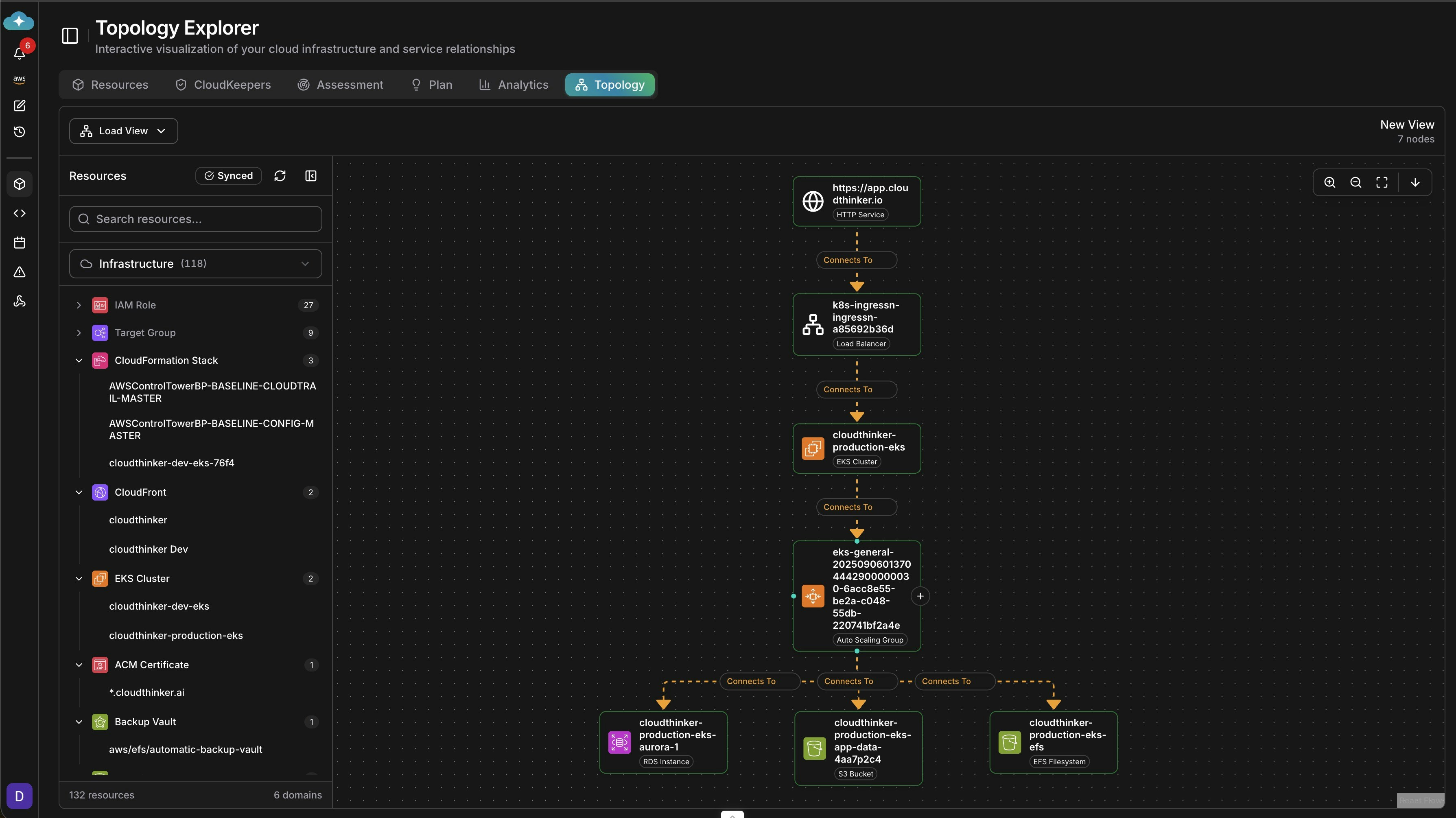
What you can do
Looking for savings analysis or always-on monitoring? Billing trends, cost findings, and savings estimates live in CostOps. Continuous drift, waste, and misconfiguration checks run as CloudKeepers.
Get started
Connect your cloud
Link AWS or GCP to activate discovery and analysis; Azure discovery is coming soon
Explore your resources
Browse the live inventory and start filtering, tagging, and acting on assets
Set up CloudKeepers
Add continuous guardrails that surface drift and waste every day
Dive into CostOps
Read billing data and review agent-verified savings findings