> ## Documentation Index
> Fetch the complete documentation index at: https://docs.cloudthinker.io/llms.txt
> Use this file to discover all available pages before exploring further.
# CloudThinker
> Meet the AI agents that manage infrastructure, review code, resolve incidents, and optimize costs across AWS, Azure, GCP, and Kubernetes.
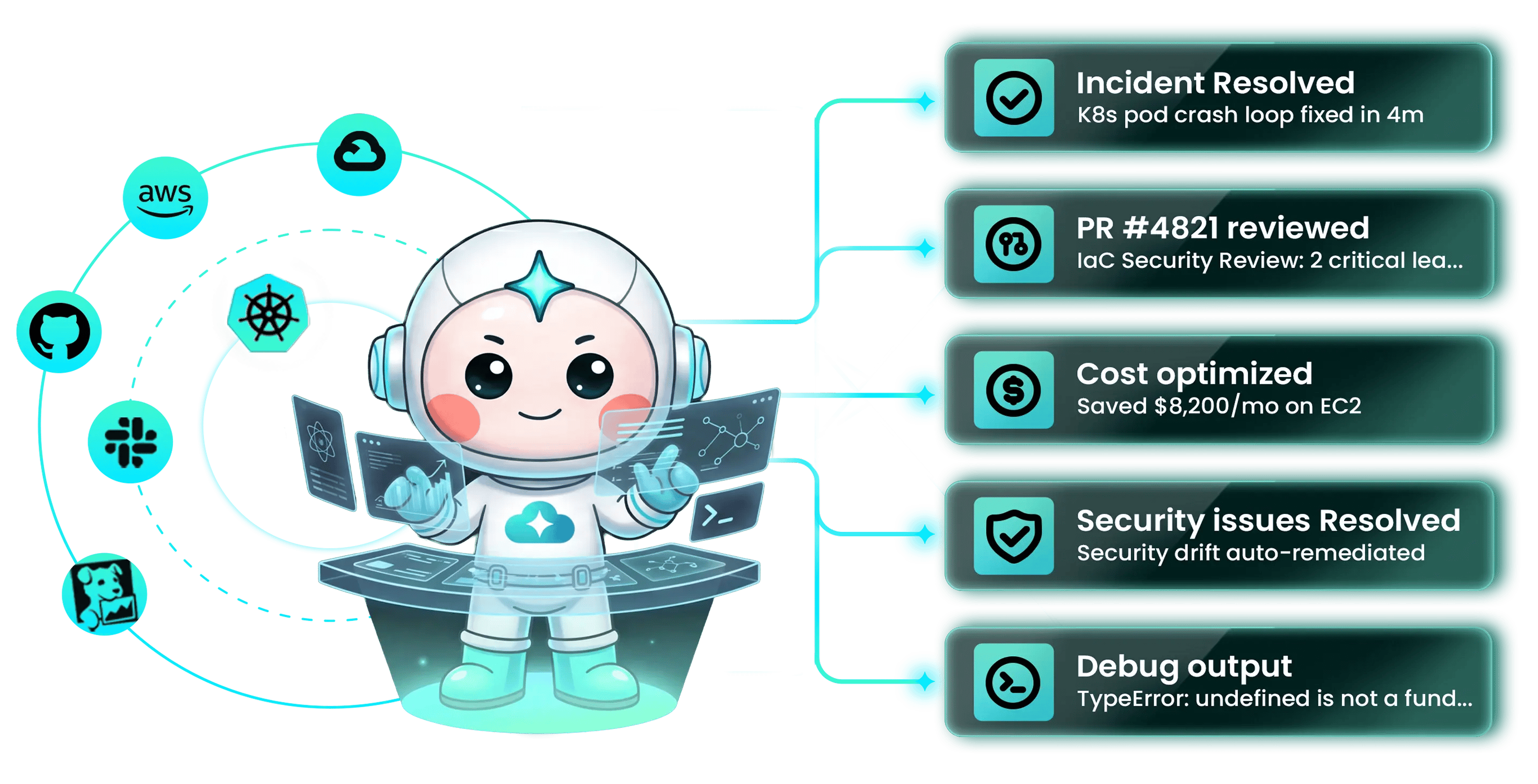 CloudThinker is an Autonomous Cloud Operations (AgenticOps) platform: specialized AI agents manage infrastructure, review code, resolve incidents, and optimize costs across AWS, Azure, GCP, and Kubernetes.
## Start here
Three first tasks, each 5–10 minutes with a result you can verify. New workspace? [Connect AWS](/guide/connections/aws) first — the [quickstart](/quickstart) walks you through it.
Find idle resources, oversized instances, and unused commitments — with projected monthly savings
Connect a Git repository and get AI review comments on the next pull request
Wire Pulse to your monitoring and let agents form hypotheses, gather evidence, and propose remediation
## Choose your goal
Pick the outcome you want next. Each goal maps to a guided path.
**CostOps** — continuous spend audit across AWS, Azure, and GCP with rightsizing recommendations and approval-gated remediation
**Code Review** — every PR reviewed with context from running infrastructure, past incidents, and your team's conventions
**Deep Response Engine** — Pulse strips noise from monitoring; agents investigate the rest and run approved runbooks
**Assessment** — Well-Architected analysis across resources and pillars, on demand
**Autonomous agents + skills** — encode your runbooks, conventions, and policies so the loop runs without restating them
**Tutorial** — run your role's first prompts against your live environment, then follow the chain into your first module setup
## How CloudThinker works
Every module runs the same agentic loop: **Detect → Analyze → Resolve → Validate**.
| Phase | What happens |
| ------------ | --------------------------------------------------------------------------------------------------------------------------------------------- |
| **Detect** | Agents watch signals from your connections — metrics, cost data, pull requests, alerts. |
| **Analyze** | The agent correlates the signal with topology, history, and [team knowledge](/guide/knowledge) to form a plan. |
| **Resolve** | The plan executes under your autonomy mode — [Manual or Auto](/guide/auto-mode) — with [approvals](/guide/approval) gating sensitive actions. |
| **Validate** | The agent verifies the outcome and writes the result back into memory for the next iteration. |
You stay on the loop, not in every step: set the goal, choose the autonomy mode, and intervene when judgment matters. The [AgenticOps field guide](/learn/aio/introduction) covers the reference architecture and governance discipline behind the loop.
## The six modules
AI review on every PR with context from running infrastructure, [past incidents](/guide/incident/incident-memory), and [team conventions](/guide/code-review/convention-rules). Inline comments, reproduction steps, suggested patches.
[Pulse](/guide/pulse/overview) suppresses monitoring noise. When something escalates, agents form hypotheses, gather evidence, and run approved [runbooks](/guide/incident/runbooks).
Continuous spend audit across [AWS](/guide/connections/aws), [Azure](/guide/connections/azure), and [GCP](/guide/connections/gcp). Idle resources, oversized instances, unused commitments — surfaced with projected savings and approval-gated remediation.
Research Preview
Continuous configuration assessment and vulnerability scans across cloud, container, and IaC layers. Findings ranked by exploitability; fixes opened as pull requests.
Agents operate inside Slack, [Microsoft Teams](/guide/teams-integration), and the CLI. Query infrastructure, approve actions, and review changes without leaving your workflow.
Reusable packages of runbooks, conventions, and policies that agents load automatically — your team's expertise compounds instead of leaving with the engineer who wrote it.
## Why CloudThinker
Cloud operations is spread across disconnected consoles — Cost Explorer, Datadog, GitHub, and more — none of which share state, so every incident, cost review, and security fix starts with a human reassembling context. CloudThinker replaces that with a team of agents that already hold the context: they watch your environment continuously, act inside the guardrails you define, and record what they learn so the next run starts smarter. You get the leverage of a larger operations team without the tool sprawl, and every action stays auditable and approval-gated. Start with the [quickstart](/quickstart), or read the [AgenticOps field guide](/learn/aio/introduction) for the architecture and adoption discipline behind the platform.
CloudThinker is an Autonomous Cloud Operations (AgenticOps) platform: specialized AI agents manage infrastructure, review code, resolve incidents, and optimize costs across AWS, Azure, GCP, and Kubernetes.
## Start here
Three first tasks, each 5–10 minutes with a result you can verify. New workspace? [Connect AWS](/guide/connections/aws) first — the [quickstart](/quickstart) walks you through it.
Find idle resources, oversized instances, and unused commitments — with projected monthly savings
Connect a Git repository and get AI review comments on the next pull request
Wire Pulse to your monitoring and let agents form hypotheses, gather evidence, and propose remediation
## Choose your goal
Pick the outcome you want next. Each goal maps to a guided path.
**CostOps** — continuous spend audit across AWS, Azure, and GCP with rightsizing recommendations and approval-gated remediation
**Code Review** — every PR reviewed with context from running infrastructure, past incidents, and your team's conventions
**Deep Response Engine** — Pulse strips noise from monitoring; agents investigate the rest and run approved runbooks
**Assessment** — Well-Architected analysis across resources and pillars, on demand
**Autonomous agents + skills** — encode your runbooks, conventions, and policies so the loop runs without restating them
**Tutorial** — run your role's first prompts against your live environment, then follow the chain into your first module setup
## How CloudThinker works
Every module runs the same agentic loop: **Detect → Analyze → Resolve → Validate**.
| Phase | What happens |
| ------------ | --------------------------------------------------------------------------------------------------------------------------------------------- |
| **Detect** | Agents watch signals from your connections — metrics, cost data, pull requests, alerts. |
| **Analyze** | The agent correlates the signal with topology, history, and [team knowledge](/guide/knowledge) to form a plan. |
| **Resolve** | The plan executes under your autonomy mode — [Manual or Auto](/guide/auto-mode) — with [approvals](/guide/approval) gating sensitive actions. |
| **Validate** | The agent verifies the outcome and writes the result back into memory for the next iteration. |
You stay on the loop, not in every step: set the goal, choose the autonomy mode, and intervene when judgment matters. The [AgenticOps field guide](/learn/aio/introduction) covers the reference architecture and governance discipline behind the loop.
## The six modules
AI review on every PR with context from running infrastructure, [past incidents](/guide/incident/incident-memory), and [team conventions](/guide/code-review/convention-rules). Inline comments, reproduction steps, suggested patches.
[Pulse](/guide/pulse/overview) suppresses monitoring noise. When something escalates, agents form hypotheses, gather evidence, and run approved [runbooks](/guide/incident/runbooks).
Continuous spend audit across [AWS](/guide/connections/aws), [Azure](/guide/connections/azure), and [GCP](/guide/connections/gcp). Idle resources, oversized instances, unused commitments — surfaced with projected savings and approval-gated remediation.
Research Preview
Continuous configuration assessment and vulnerability scans across cloud, container, and IaC layers. Findings ranked by exploitability; fixes opened as pull requests.
Agents operate inside Slack, [Microsoft Teams](/guide/teams-integration), and the CLI. Query infrastructure, approve actions, and review changes without leaving your workflow.
Reusable packages of runbooks, conventions, and policies that agents load automatically — your team's expertise compounds instead of leaving with the engineer who wrote it.
## Why CloudThinker
Cloud operations is spread across disconnected consoles — Cost Explorer, Datadog, GitHub, and more — none of which share state, so every incident, cost review, and security fix starts with a human reassembling context. CloudThinker replaces that with a team of agents that already hold the context: they watch your environment continuously, act inside the guardrails you define, and record what they learn so the next run starts smarter. You get the leverage of a larger operations team without the tool sprawl, and every action stays auditable and approval-gated. Start with the [quickstart](/quickstart), or read the [AgenticOps field guide](/learn/aio/introduction) for the architecture and adoption discipline behind the platform.