> ## Documentation Index
> Fetch the complete documentation index at: https://docs.cloudthinker.io/llms.txt
> Use this file to discover all available pages before exploring further.
# Infrastructure Management
> Discover, map, assess, and act on every cloud resource across AWS, GCP, and Azure from one place
The Infrastructure module gives you one operational picture of every resource in your connected clouds — and the agents to act on it. Discover assets, trace dependencies, assess architecture, and track remediation without switching consoles.
Cloud estates sprawl across accounts, regions, and providers, so no single console shows what is running, how it connects, or whether it follows best practice. Infrastructure Management replaces console-hopping with a shared inventory that [Alex](/guide/agents/alex), [Oliver](/guide/agents/oliver), [Kai](/guide/agents/kai), [Tony](/guide/agents/tony), and [Anna](/guide/agents/anna) all work from — so a cost spike and the misconfiguration behind it surface in the same investigation.
## How it works
1. **Discover** — [Resources](/guide/infrastructure/resources) scans your connected cloud accounts and keeps a live inventory of compute, storage, database, and network assets.
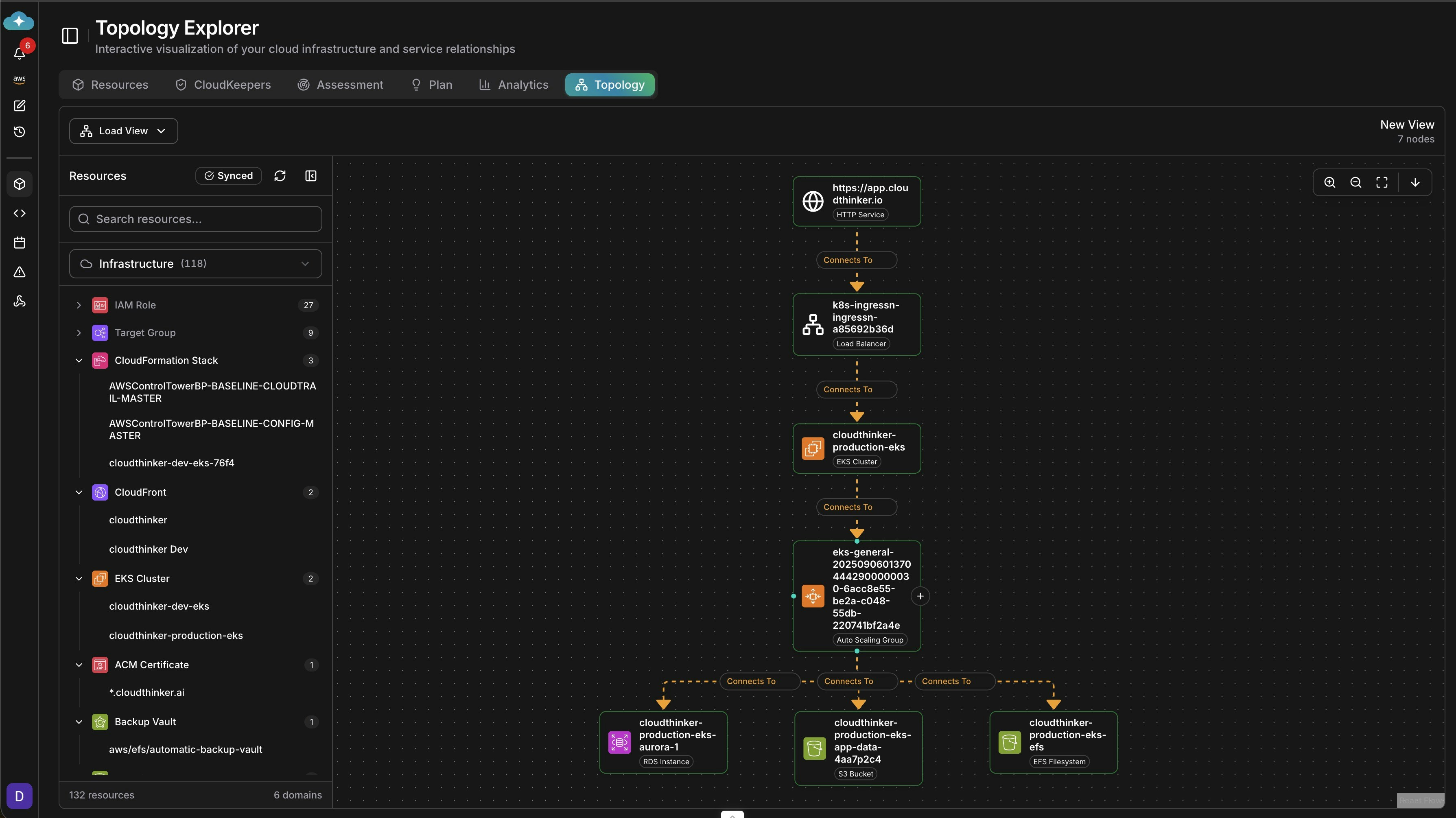
2. **Map** — [Topology](/guide/infrastructure/topology) builds a dependency graph from that inventory, showing which services depend on which and the blast radius of a failure.
3. **Assess** — [Assessment](/guide/infrastructure/assessment) runs an automated Well-Architected review across all six pillars and produces prioritized findings with implementation steps.
4. **Analyze** — [Analytics](/guide/infrastructure/analytics) correlates health, performance, and cost signals across clouds, so you can tell resource contention apart from overspend.
5. **Act** — [Plan](/guide/infrastructure/plan) turns findings and recommendations into tracked work items and follows them from identified to implemented.
 ## What you can do
| Capability | Description | Learn more |
| --------------------------- | --------------------------------------------------------------------------- | ---------------------------------------------- |
| Resource inventory | Filter, tag, and act on every asset across AWS, GCP, and Azure | [Resources](/guide/infrastructure/resources) |
| Dependency mapping | Trace service relationships and blast radius for faster root cause analysis | [Topology](/guide/infrastructure/topology) |
| Well-Architected assessment | Run automated reviews across all six pillars with prioritized findings | [Assessment](/guide/infrastructure/assessment) |
| Cross-cloud analytics | Correlate health, performance, and cost signals in one view | [Analytics](/guide/infrastructure/analytics) |
| Work planning | Track findings and recommendations from identified to implemented | [Plan](/guide/infrastructure/plan) |
Looking for savings analysis or always-on monitoring? Cost recommendations and savings tracking live in [CostOps](/guide/cost-optimization/overview). Continuous drift, waste, and misconfiguration checks run as [CloudKeepers](/guide/infrastructure/cloudkeepers).
## Get started
Link AWS, GCP, Azure, and more to activate discovery and analysis
Browse the live inventory and start filtering, tagging, and acting on assets
Add continuous guardrails that surface drift and waste every day
Turn inventory data into cost recommendations and tracked savings
## What you can do
| Capability | Description | Learn more |
| --------------------------- | --------------------------------------------------------------------------- | ---------------------------------------------- |
| Resource inventory | Filter, tag, and act on every asset across AWS, GCP, and Azure | [Resources](/guide/infrastructure/resources) |
| Dependency mapping | Trace service relationships and blast radius for faster root cause analysis | [Topology](/guide/infrastructure/topology) |
| Well-Architected assessment | Run automated reviews across all six pillars with prioritized findings | [Assessment](/guide/infrastructure/assessment) |
| Cross-cloud analytics | Correlate health, performance, and cost signals in one view | [Analytics](/guide/infrastructure/analytics) |
| Work planning | Track findings and recommendations from identified to implemented | [Plan](/guide/infrastructure/plan) |
Looking for savings analysis or always-on monitoring? Cost recommendations and savings tracking live in [CostOps](/guide/cost-optimization/overview). Continuous drift, waste, and misconfiguration checks run as [CloudKeepers](/guide/infrastructure/cloudkeepers).
## Get started
Link AWS, GCP, Azure, and more to activate discovery and analysis
Browse the live inventory and start filtering, tagging, and acting on assets
Add continuous guardrails that surface drift and waste every day
Turn inventory data into cost recommendations and tracked savings